

- May 15, 2026
- 926
- Business Tools
GSTIN Search Pro: Add Live GST Verification to Your WordPress Site
Close the gap between your website and official portals. Give your users instant, real-time GST verification without ever leaving your domain.
If your website deals with Indian businesses — B2B leads, vendor directories, compliance portals, CA firm websites, or simply any site where users need to verify a GST number — you’ve probably felt the gap. Most solutions require users to leave your site, go to the government portal, and come back. It’s clunky, untracked, and a missed opportunity.
GSTIN Search Pro is a WordPress plugin that closes that gap. Install it, enter your API key, drop one shortcode on a page, and your users can verify any 15-digit GSTIN instantly — without leaving your website.
What does it actually do?
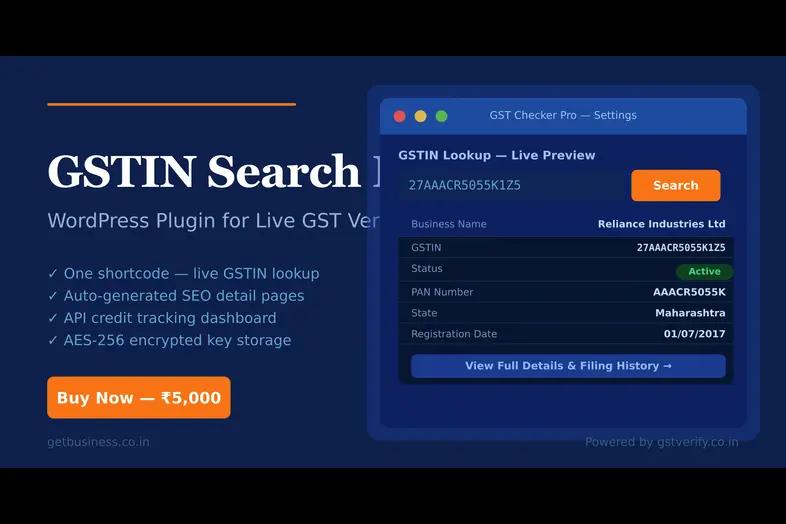
Here’s what a visitor sees when they use the [gst__checker] shortcode on your site: see the live demo at GST Number Search Tool
Live Preview — [gst__checker] shortcode output
Every result links to a permanent SEO detail page with filing history, HSN codes, jurisdiction details, Google Maps embed, and JSON-LD schema.

Who is this for?
CA / Tax Firms
Give clients a self-serve GST lookup tool directly on your firm’s website.
B2B Marketplaces
Let vendors verify their own GSTIN or a supplier’s before onboarding.
Business Directories
Enrich listings with verified GST status and auto-generated SEO pages.
HR / Compliance Tools
Employee portals for verifying vendor GSTINs before payment processing.
The SEO Angle — Why it matters
Every GSTIN your users search becomes a permanent, indexed page on your domain. That means organic traffic for searches like “27AAACR5055K1Z5 GST details” or “Reliance Industries GSTIN”.
- Dynamic page titles: “Reliance Industries Ltd – 27AAACR5055K1Z5 – GST Number Details”
- Custom meta descriptions: Includes GSTIN, business name, and verification context
- Canonical URLs: Hard-coded to prevent duplicate content penalties
- JSON-LD LocalBusiness schema: Eligible for Google Knowledge Panel enrichment
Quick 4-Step Setup
Install & Activate the Plugin
Upload the plugin ZIP file via your WordPress admin panel.
- Go to Plugins › Add New › Upload Plugin.
- Select the
gstin-search-pro.zipfile and click Activate.
Connect Your API Key
Link the plugin to the live government registry using your GSTVerify credentials.
- Navigate to GST Checker › Settings.
- Paste your GSTVerify.co.in API key (1 month of unlimited access is included free with your purchase, send your order details to [email protected] and get the API key).
- The key is automatically encrypted with AES-256 for maximum security.
Deploy the Search Portal
Create the pages where your users will perform their lookups.
- Create a new page and add the shortcode
[gst__checker]to render the live search form. - Create a second blank page with the slug
gst-searchto handle dynamic Company Name and PAN results.
Enable SEO Permalinks
Activate the dynamic URL structure to capture organic search traffic.
- Go to Settings › Permalinks.
- Ensure your structure is set to “Post name” (or any non-plain setting) and click Save Changes.
- This enables permanent URLs like
/gst-number-search/asian-grc-06ADCPI2643A1ZA/for better indexing.
Security & Analytics
Enterprise-Grade Security
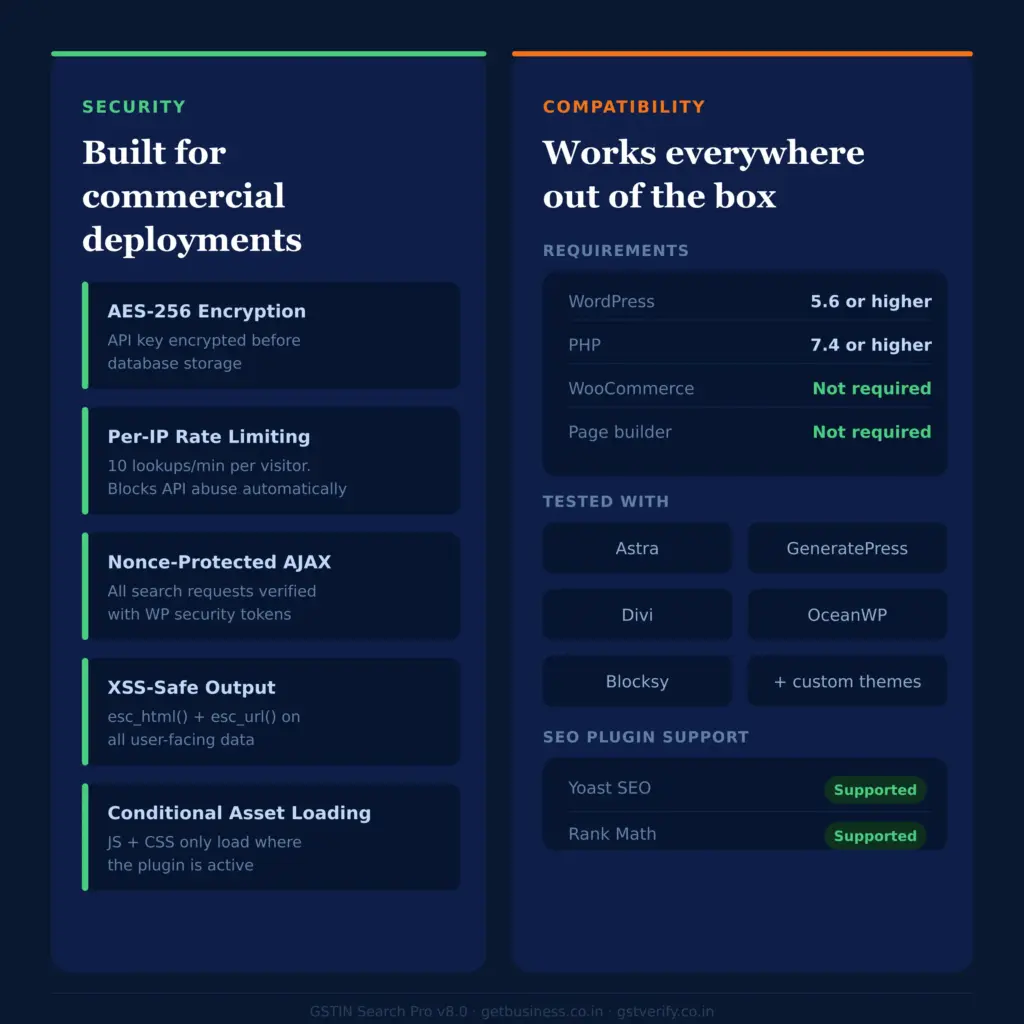
- API keys encrypted with AES-256 before storage.
- Rate Limiting: 10 lookups per IP/min to prevent API abuse.
- CSRF-safe AJAX requests using WP Nonces.
- XSS protection via full output escaping.
Admin Insights
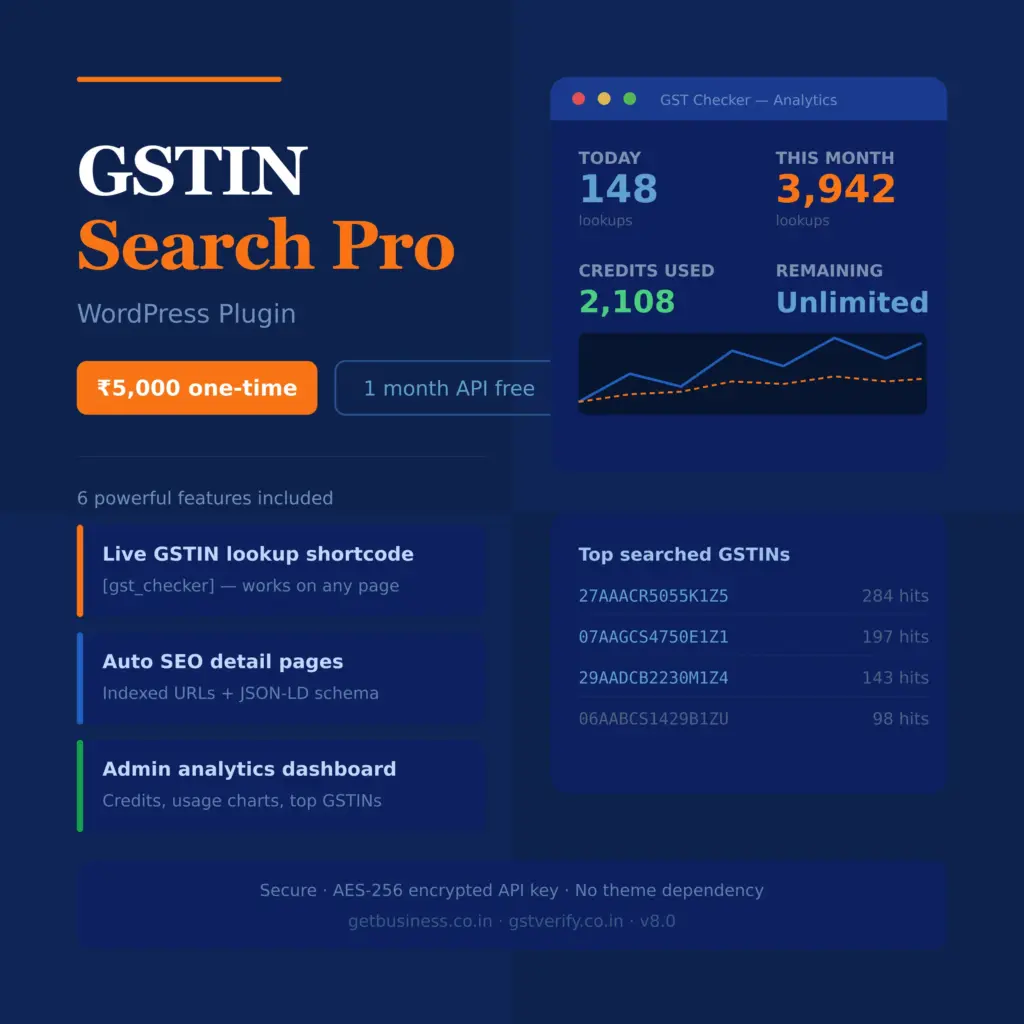
- Live API credit balance from GSTVerify.co.in.
- Lookup history: Today, weekly, monthly, and all-time.
- Top 10 searches: See what your users are looking for.
- Visual daily lookup charts.
What’s included in the ₹5,000 purchase
Already on a ₹5,000/mo unlimited GSTVerify plan? This plugin is included for free.




 Login with Google
Add Comment
You must be logged in to post a comment.